
Desktop automation
Control and operate desktop applications.
How ASB works
Use ASB to act in the target environment now, or keep proven operations for later. Architecture, capabilities, and real UI are below.
ARCHITECTURE
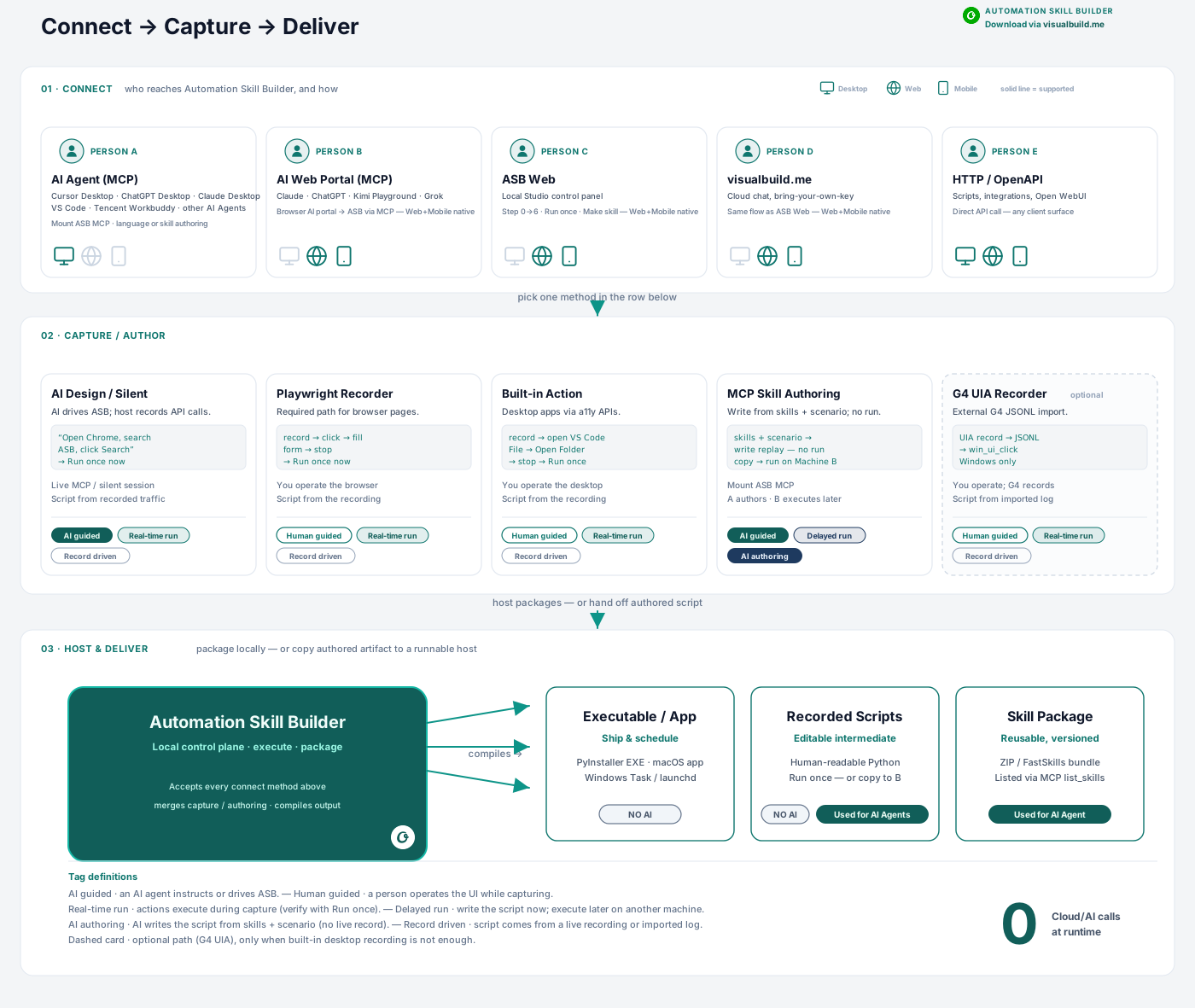
CORE CAPABILITIES
Eight capabilities, one runtime. Build once, reuse across every assistant.
Control and operate desktop applications.
Automate web tasks and extract data.
Connect services with structured requests.
Extract text and structure from screens and files.
Expose skills to assistants via MCP.
Version and reuse automations as skills.
Run on your machine with local-first privacy.
Chain steps into reliable automations.
TYPICAL SCENARIOS
FINANCE
Generate reports and data dashboards
ERP
Automated ERP data processing
ACCOUNTING
Extract and process invoice data
DATA
Collect website data and content
COMMS
Automated email workflows
RPA
Reproduce and monitor RPA flows
Swipe through real UI — welcome path, workspace, recording, code, and packaging skills.
Execution stays on your hardware.
Logs and records for review.
Tighten upstream AI proxy access.
Core automation without mandatory cloud.
Guardrails for vision paths and tools.
20 min
A 12-step SAP data export — recorded, packaged, and invokable in under 20 minutes
3 run modes
Standalone executables, AI-callable skills, and scheduled jobs — one build, same execution
0 cloud calls at runtime
Zero cloud calls at runtime — skill invocation, quota enforcement, and license validation all happen on your machine.